

error Please make sure to choose the correct service! For the some models, you will need a Windows PC & USB cable. If you are not sure which service is right for your device, contact us via live chat for assistance.
Unlock Sony Phone by Code ANY Country & Model
From: $29 USD (1,595 MKD)
- Get your Sony Unlock Code in 1-3 days.
- Unlock ANY Sony Phone model by IMEI.
- Your Sony Phone will be Sim-Free Forever.
- Works for ANY Model and ANY Carrier.
Unlocking a Sony phone has never been simpler. You heard that right — you can free your handset so it will accept the SIM of any carrier in the world. You’re just half a minute away from freedom.
Our Sony Phone unlocking process comes with a 100 percent money-back guarantee and is perfectly safe. Your Sony Phone won’t be damaged in any way through this method. So how do you unlock Sony Phones? Well, it’s as easy as texting someone. Below we’ve provided step-by-step instructions on how to unlock the phone, as well as a code for unlocking from the manufacturer directly.
Start by entering the IMEI number of your Sony phone, enter your personal details and place an order. You will receive the Sony unlock code within 1-3 days.
How to Know if your Sony Phone is SIM Locked
Does the Sony device you own work only with your current service provider, or when you insert a SIM card do any of the following messages appear? We also recommend you check the Network Lock counter by dialing *#*#7378423#*#* then select Service Info -> Simlock. If (X) Network is not 0 you can unlock your phone with a code; otherwise select the Remote USB unlock option.
If they do, your Sony Phone is Locked, but don’t worry — following a few simple steps will unlock your device, enabling you to use your handset on any GSM wireless network anywhere in the globe.
Also, you don’t need to mail in your Sony Phone. Here are some of the supported models: Xperia XZ3, XZ2, XZ1, XZ Premium, C5, Z3, Z2, Z1, Tipo, Neo, Dual, M4, M3, M2, T2, T3, E5, E2, E1, M5, Xperia 10, Xperia 10 II, Xperia 10 III, Xperia 1 III, Xperia 1 II, Xperia 5, Xperia 5 II, Xperia 5 III, Xperia Pro, L1, L2, L3, L4, XA2, XA1 or another Sony model. There’s no software or hardware required. No technical knowledge required either. Simply give us your IMEI number of Sony Phone and leave the rest to us.
Here are the 3 simple steps you need to follow:
Step 1: Simply give us the Sony Phone IMEI number during checkout. It can be found by entering *#06# on your dial pad.
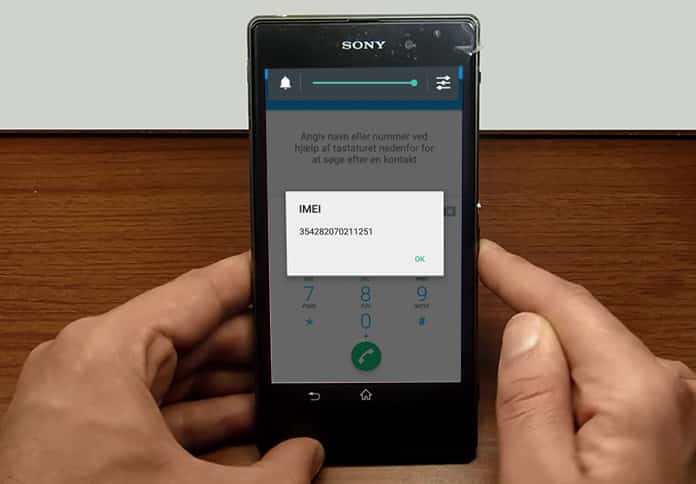
Step 2: After placing the order, the Unlock will come with an easy-to-follow instructional guide which will be delivered to your email ID in the given timeframe. When you receive the code, simply put in a non-original SIM card and enter the Sony unlock code from us.
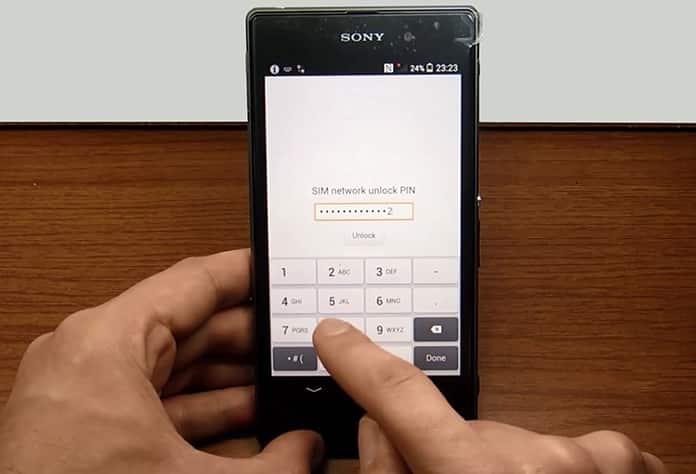
Step 3: Follow the unlocking instructions offered by unlockallcellular.com and easily enter the supplied Unlock Code on your device.
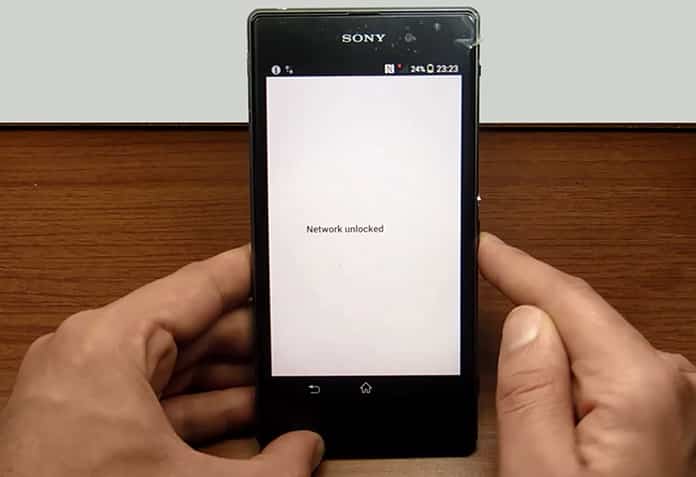
After you do, you can use your Sony Phone with any SIM card on any carrier in the world.
Reasons for Remote Unlocking Sony Phone
After unlock, users can save a fortune. For instance, they can avoid roaming charges by using cheap local SIM cards. Also, locked phones sell for less — by unlocking your Sony Phone you can increase its resale value by a whopping 300%.
Use your personal and work SIM card in your unlocked Sony Phone — there’s no need to carry two devices again. Get the best tariff value by swapping SIM cards to utilize the latest offers. There’s no reason to send the phone to anyone. It’s quick and easy.
Users receive instructions within 1-3 days; unlocking (entering the code) takes 1-3 minutes at most. NO need to physically open the phone which can damage your device. The whole process is easy — no technical knowledge needed. No hardware or software required; just the Unlock CODE is entered, and the device is unlocked permanently. It’s safe and legal and doesn’t void the Sony Phone’s warranty. For life, your Sony Phone will be unlocked.
All Unlock CODES offered by Unlockboot are guaranteed and genuine. If for any reason they aren’t found in the database then a full refund will be provided to you. For any additional questions — contact our support anytime.
1 review for Unlock Sony Phone by Code ANY Country & Model
Add a review
You must be logged in to post a review.
Valerie Shaman –
Thank you unlockboot. I received my Z5 unlock code in less than a day. It worked fine thanks!