

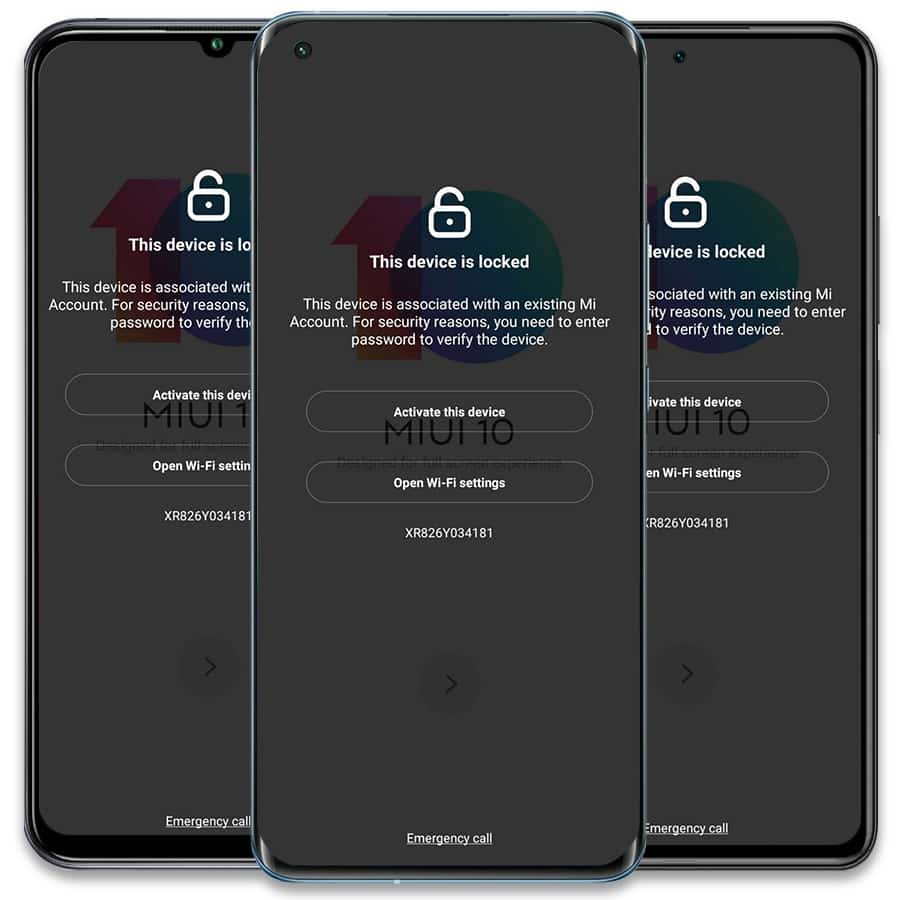
Xiaomi Mi Account Removal Service PERMANENT
From: $19 USD (1,045 MKD)
- All Xiaomi, Redmi & Poco models are supported.
- Works with ANY Android 11/12/13/14/15/16/17
- Fast & Permanent Mi Lock Removal service.
Official Xiaomi Mi Account removal service to permanently fix your Xiaomi, Redmi, or Poco device by IMEI or FSN (the Mi lock code). All countries are supported, including USA, Canada, Europe, United Kingdom, Ireland, Germany, Austria, Belgium, Italy, Romania, Slovenia, Greece, Mexico, Brazil, Argentina, Bolivia, Chile, Colombia, Costa Rica, Sri Lanka, El Salvador, Africa, South Africa, Namibia, Zambia, Botswana, Zimbabwe, Kenya, Nigeria, Malawi, Uganda, Jordan, France, Spain, Portugal, Poland, Malta, Finland, Sweden, Denmark, Norway, Estonia, Macedonia, Albania, Serbia, Bulgaria, Cyprus, Dominican Republic, Guatemala, Montenegro, Panama, United Arab Emirates, India, Nepal, Bangladesh, Bhutan, Ukraine, Russia, Uzbekistan, Kyrgyzstan, Kazakhstan, Vietnam, Japan, Turkey, China. Devices from other countries can be submitted via our Worldwide service.
The average processing time is 1–3 days (usually completed the same day in 10–60 minutes, depending on the option selected). Most services are extremely fast. If you are unsure which option is correct for your device, please contact us via the live chat on the website: unlockboot.com/chat.
How to Find the FSN Mi LOCK Code of your Locked Xiaomi / Redmi / Poco Device
- Turn ON and connect your device to a WiFi network. The device should be on the Mi Lock (“This device is associated with an existing Mi Account”) screen.
- Tap 10 times on the “padlock” icon in the top middle section of the screen.
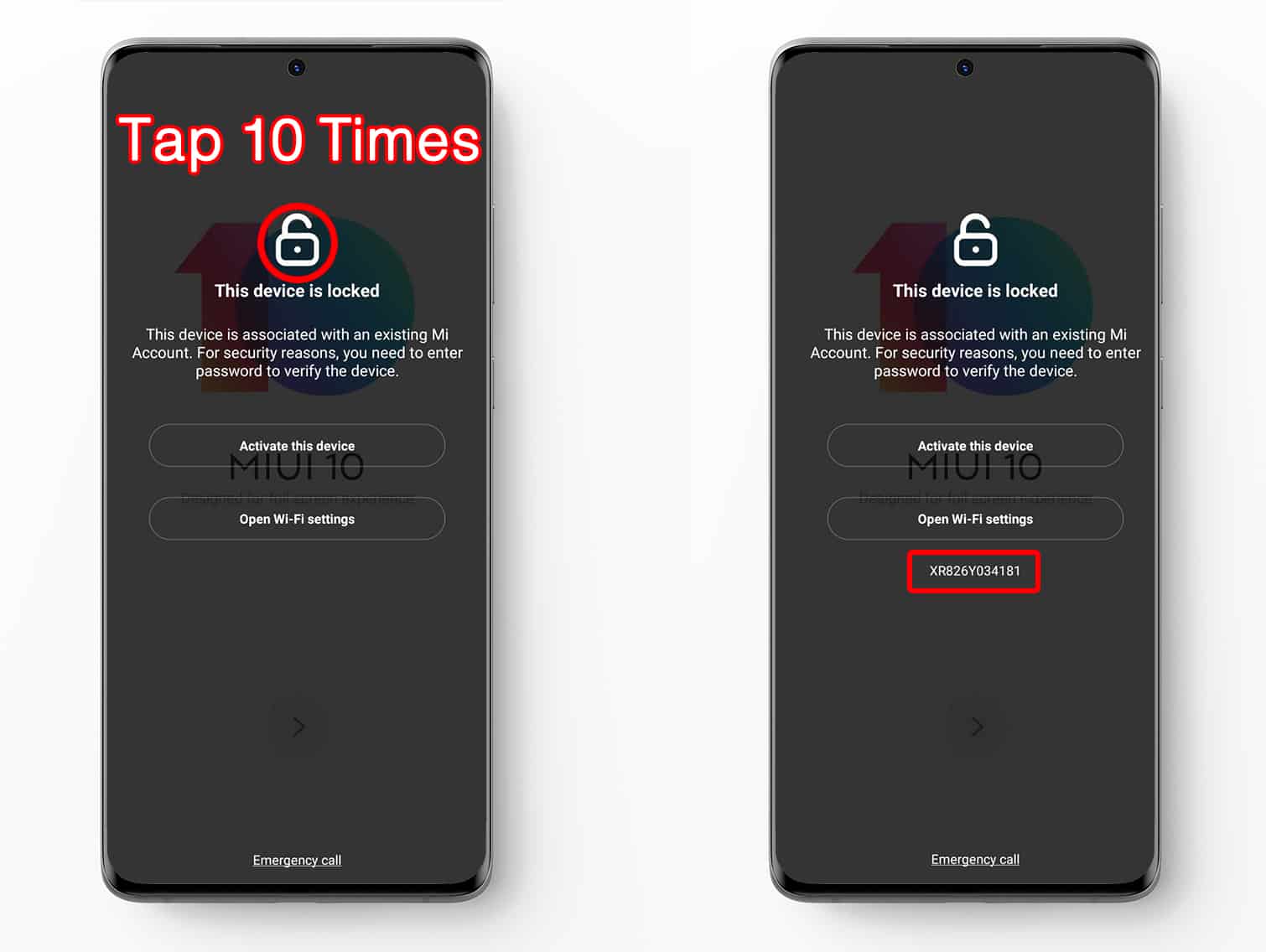
- The FSN lock code will be displayed on the screen.
- Enter the lock code on our website (use capital letters). Click Unlock Now and place an order.
- You will receive an email once the Xiaomi Mi Removal process is completed. After that, simply connect the device to WiFi and finish the activation process.
This is a permanent service. The device will be removed from the original Mi account forever, allowing you to update, factory reset, and more. You can use a new Mi account without the device becoming re-locked.
Please note that ONLY Xiaomi, Redmi, or POCO devices are supported. This service will ONLY remove the MI Lock so you can use the device normally. If the device is also Google FRP locked, you must use a separate service.
Clean mode is supported only. You can check it here before placing an order: https://i.mi.com/find/device/activationlock?_locale=en#/status?_k=tcerag.
If you need any additional help, please contact us via live chat, Facebook, or WhatsApp.
2 reviews for Xiaomi Mi Account Removal Service PERMANENT
Add a review
You must be logged in to post a review.
Related products
keian.taras –
Amazing they fixed my Mi 10T Pro in less than a hour. 5 stars thank you I can use my phone again. You’re the best!
Pitso Ramafikeng –
How this work to unlock
UnlockBoot Support –
Hi Pitso, you have to submit the LOCK Code and select the correct country / service.